PlayOJO Withdrawals UK: Methods, Minimums, Fees and Verification
 Available in GB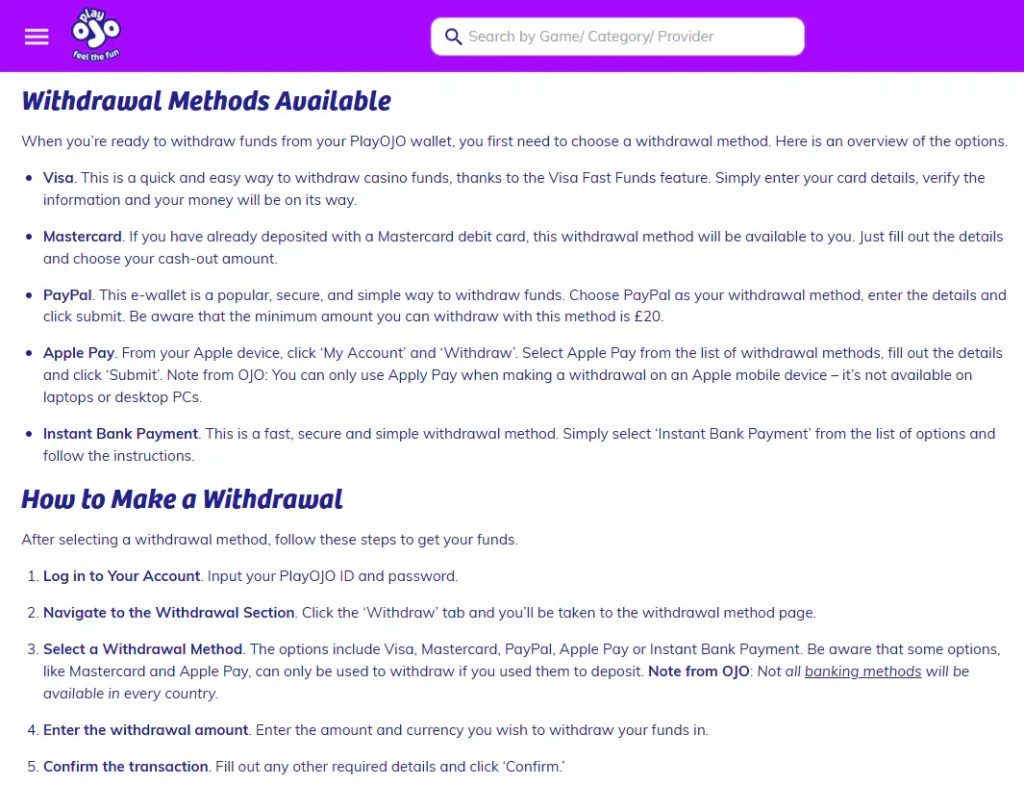
Cash-out methods, limits and checks
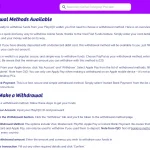
PlayOJO currently lists Visa, Mastercard, PayPal, Apple Pay and Instant Bank Payment as withdrawal options, subject to what appears for the individual account. Its current withdrawal guide says Visa, Mastercard, Apple Pay and Instant Bank Payment have no minimum withdrawal, while the dedicated PayPal page lists a £20 minimum for PayPal. PlayOJO also states that it does not charge a withdrawal fee. Maximums are not published as one universal figure because the brand says they are decided case by case and should be checked in the Cashier. Verification can also be required before a request is approved, so a fast brand processing claim should not be read as a guaranteed arrival time.
Table of Contents
- PlayOJO withdrawal rules at a glance
- Which withdrawal methods does PlayOJO currently show?
- Minimum withdrawal amounts are method-specific
- Does PlayOJO charge withdrawal fees?
- How fast are PlayOJO withdrawals?
- Why verification can delay a withdrawal
- How to request a withdrawal without creating avoidable friction
- How to read the Cashier before you confirm a payout
- Common withdrawal assumptions that do not hold up
- What can actually slow a PlayOJO withdrawal in the UK
PlayOJO withdrawal rules at a glance
| Method | Published minimum | PlayOJO fee | Key condition |
|---|---|---|---|
| Visa | No minimum stated in current withdrawal guide | None stated by PlayOJO | Account and cashier eligibility apply |
| Mastercard | No minimum stated in current withdrawal guide | None stated by PlayOJO | May require prior use for deposit |
| PayPal | £20 on the current PayPal page | None stated by PlayOJO | PlayOJO says PayPal must first have been used to deposit |
| Apple Pay | No minimum stated in current withdrawal guide | None stated by PlayOJO | May require prior use for deposit |
| Instant Bank Payment | No minimum stated in current withdrawal guide | None stated by PlayOJO | Availability depends on the account |
The live Cashier is the final check because available methods and maximum amounts can differ by account. For the deposit side of the same system, see the PlayOJO payment methods guide.
Which withdrawal methods does PlayOJO currently show?
The current PlayOJO withdrawal guide names five routes: Visa, Mastercard, PayPal, Apple Pay and Instant Bank Payment. This is a useful starting list, but it should not be treated as a promise that all five will appear for every UK account. The brand specifically notes that some options are linked to the method used for deposits and that country or account conditions can affect what the Cashier displays.
That distinction matters when choosing how to deposit in the first place. If you prefer to receive money through a particular route, check whether that method appears as both a deposit and withdrawal option before funding the account. PayPal is a clear example: PlayOJO’s dedicated PayPal page says withdrawals are available only after PayPal has already been used for a deposit.
Visa and Mastercard remain familiar bank-card routes. Apple Pay is a wallet-style option for compatible Apple users, while Instant Bank Payment uses a bank-based flow. The withdrawal methods shown in the cashier are the account-specific options available for the request.
Method availability can differ between accounts, making the cashier the relevant place to confirm the withdrawal route.
Minimum withdrawal amounts are method-specific
PlayOJO’s current general withdrawal guide says there is no minimum withdrawal for Visa, Mastercard, Apple Pay or Instant Bank Payment. The PayPal page is different: it displays a £20 minimum withdrawal. Because the site has method-level pages as well as a general guide, method-specific terms should take priority when they are more precise.
This is why a single statement such as “PlayOJO has no minimum withdrawal” is too broad. It can be true for several listed methods while still being wrong for PayPal. Before requesting a payout, open the Cashier and read the value displayed for the selected route.
The same logic applies to maximums. PlayOJO’s general withdrawal guide says maximum withdrawal amounts are decided case by case and directs players to the Cashier. A method page may display a transaction-level figure, but that should not be converted into a universal daily, weekly or account-wide maximum. The account view is the appropriate place to confirm what applies at the time of withdrawal.
Does PlayOJO charge withdrawal fees?
PlayOJO currently states that it does not charge a fee for withdrawals through its available methods. Its PayPal page also says PlayOJO charges no PayPal transaction fee. This refers to the casino’s own charge, not every possible cost that can exist elsewhere in the payment chain.
An external provider can still have separate terms. PlayOJO’s PayPal guidance, for example, notes that PayPal may apply charges in circumstances such as currency conversion or certain international transactions. For a UK account operating in GBP, keeping the payment account in the same currency can avoid an unnecessary conversion layer.
The cleanest way to assess cost is therefore to separate two questions: what PlayOJO charges and what the payment provider may charge. The current answer to the first question is no PlayOJO withdrawal fee. The second depends on the bank, card issuer or e-wallet terms outside the casino.
How fast are PlayOJO withdrawals?
PlayOJO’s current withdrawal guide says that 95% of withdrawal requests are processed within minutes. Its PayPal page makes a similar claim for PayPal and says funds reach the PayPal wallet quickly after approval. These are brand statements about typical processing, not a universal guarantee that every player will receive money in a fixed number of minutes.
There are two different clocks to consider. First, PlayOJO has to process and approve the request. Second, the payment provider has to credit the funds. Even after PlayOJO has completed its side, a card issuer, bank or wallet can affect the final arrival time.
PlayOJO also says additional checks can make processing take longer. That is especially relevant on a first withdrawal or when account details or payment information need verification. A practical speed estimate should therefore be read as “often fast when everything is already verified” rather than as a guaranteed payout deadline.
Why verification can delay a withdrawal
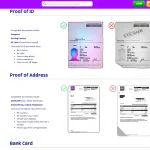
PlayOJO’s current verification guidance lists standard identity and address evidence such as a passport, driving licence or government-issued ID for identity, and a utility bill or bank statement for address. It can also request evidence connected to a bank card or other payment method. These examples do not mean every player will be asked for every document.
The purpose of the check is to confirm that the account and payment details belong to the person making the withdrawal. PlayOJO can verify some information automatically, while other cases need document upload. The exact request depends on what the operator still needs to validate.
Do not plan around a fixed KYC completion time. The current help material says extra verification can extend the process, so the safer practical approach is to make sure account details are accurate, respond to document requests promptly and use the upload area the brand provides. The dedicated PlayOJO verification page covers the KYC flow in more detail.
How to request a withdrawal without creating avoidable friction
- Log in and open the Cashier or withdrawal area.
- Check which methods are actually available for the account.
- Choose a route that matches the account’s deposit history where required.
- Read the minimum and any account-specific maximum shown for that route.
- Submit the withdrawal and complete any requested verification step.
- Wait for PlayOJO processing and then for the payment provider to credit the funds.
If a preferred withdrawal route is missing, first check whether it had to be used for a deposit before it becomes eligible for cash-out. Avoid repeatedly switching payment methods simply to test availability because that can make the payment trail more complicated rather than simpler.
It is also worth checking account details before a large request. A name or address mismatch can create a verification issue that would have been easier to resolve in advance. For broader account and regulatory context, the PlayOJO licence guide explains who operates the UK service and how the GB licence is recorded.
How to read the Cashier before you confirm a payout
The withdrawal screen is more useful than a generic comparison table because it reflects the specific account. Before pressing confirm, check four things together: the method name, the displayed minimum, any maximum shown for that account, and whether the route is actually selectable. If one of those details differs from an older guide or review, the live Cashier should be treated as the operational value for that request.
Transaction rules and account rules can apply at the same time. A payment method can have its own minimum while the account has a different maximum or verification requirement, so a PayPal minimum or a general processing statistic does not become a universal rule for every withdrawal route.
Finally, keep the payment trail simple. If the account already has a working withdrawal route connected to a previous deposit, using that route can be more straightforward than introducing a new method immediately before cashing out. The goal is not to chase the fastest marketing label, but to choose an eligible route with details you can verify on screen before submission.
Common withdrawal assumptions that do not hold up
“All methods have the same minimum”
No. The current general guide lists no minimum for several methods, while PayPal has a £20 minimum on its dedicated page.
“95% within minutes means guaranteed instant cash”
No. That is PlayOJO’s processing claim, and provider timing or extra checks can extend the full journey.
“The biggest number on a method page is my universal maximum”
No. PlayOJO says maximums are case-specific, so the Cashier is the correct place to check the applicable limit.
What can actually slow a PlayOJO withdrawal in the UK
The main practical causes are verification that has not yet been completed, a payment method that is not eligible for withdrawal, account details that need checking, and the payment provider’s own crediting time after PlayOJO has processed the request. None of those factors changes the basic process, but they explain why a fast typical processing claim is not the same thing as a guaranteed arrival time.
For a UK player, the best preparation is simple: use a payment route you are comfortable receiving money through, keep personal details accurate, complete any requested checks promptly and confirm the current limits in the Cashier before submitting. For the wider account journey, start with the full PlayOJO review and use the linked payment and verification guides for the parts that can change most often.
Recommend
PlayOJO Registration UK: Sign-Up, Identity Checks and Account Setup
PlayOJO UK Guide Account opening and identity checksRegistration combines account setup with the age and...
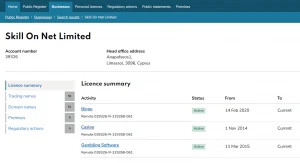
PlayOJO Trust and Licence UK: Operator, UKGC Record and Player Protections
PlayOJO UK Guide Operator record, regulation and practical protectionsThe UK Gambling Commission register links PlayOJO...
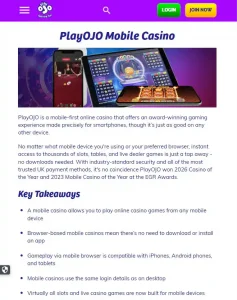
PlayOJO Mobile Casino UK: iOS, Android and Browser Play
PlayOJO UK Guide App or browser on UK mobilesPlayOJO can be used through a mobile...
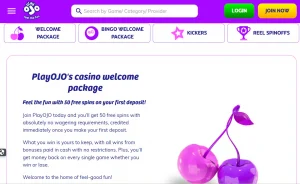
PlayOJO Bonuses and No-Wagering Rewards in the UK
PlayOJO UK Guide UK bonus and rewards guide PlayOJO separates its welcome package, short-term Kickers...

PlayOJO Games UK: Slots, Live Casino and Bingo
PlayOJO UK Guide Game catalogue and providersThe PlayOJO catalogue spans slots, live casino, table games...

PlayOJO Payment Methods UK: Deposits, GBP and Cashier Options
PlayOJO UK Guide Deposits, GBP and cashier choicesUK accounts use GBP and the cashier presents...