PlayOJO Mobile Casino UK: iOS, Android and Browser Play
 Available in GB
App or browser on UK mobiles
PlayOJO currently supports three mobile routes for UK players: an iOS app, an Android app and browser-based play without a download. The mobile site works through common smartphone browsers and uses the same account login as desktop, while the apps provide a dedicated installed route for players who prefer an icon on the device. PlayOJO’s current mobile pages also show access to the Cashier and mobile gaming from the same account. PlayOJO’s official pages currently publish conflicting catalogue totals, so a precise mobile game count is not reliable. The practical choice is between an installed app and direct browser access.
Table of Contents
- PlayOJO mobile options compared
- Does PlayOJO have an iOS and Android app?
- Mobile browser play needs no download
- What can you do from PlayOJO on mobile?
- Banking from an iPhone or Android phone
- App or browser: which route is more practical?
- What to check before installing the PlayOJO app
- Switching devices without creating a second account
- Mobile security and responsible-play controls
- Choosing between the PlayOJO app and browser on a UK mobile
PlayOJO mobile options compared
| Route | Install needed | Account | Best fit |
|---|---|---|---|
| iOS app | Yes | Existing PlayOJO login | iPhone or iPad users who prefer a dedicated app |
| Android app | Yes | Existing PlayOJO login | Android users who want an installed app |
| Mobile browser | No | Existing PlayOJO login | Players who want instant access without installing anything |
Does PlayOJO have an iOS and Android app?
Yes. PlayOJO’s current UK mobile material explicitly says that players can download the PlayOJO app for iOS and Android. The separate mobile page likewise promotes Apple and Android app routes and explains that browser play remains available if you do not want to install anything.
The important practical point is that these are access routes to the same PlayOJO account rather than separate casino memberships. You do not need a second account for mobile use. The mobile-browser guide states that the same login details work across devices, so moving from desktop to phone is primarily a device choice.
If you are opening an account for the first time, complete the normal PlayOJO registration process rather than looking for a special mobile-only sign-up. Once the account exists, the device route can be changed later without creating another identity or balance.
Mobile browser play needs no download
The browser route is the simplest option if you do not want another app installed. PlayOJO says its mobile casino works through browsers on iPhones, Android phones and tablets. You open the site, log in and use the responsive interface directly.
This route has a few practical advantages. It avoids app-store updates, uses no dedicated app storage beyond normal browser data, and makes it easy to switch devices. It can also be useful on a temporary device where installing an app is not desirable.
The trade-off is that the browser does not give you the same installed-app feel. Some users prefer a home-screen app icon and an interface launched as a dedicated application. Others prefer the browser precisely because it removes an installation step. Neither choice changes the basic requirement to log into the same PlayOJO account.
What can you do from PlayOJO on mobile?
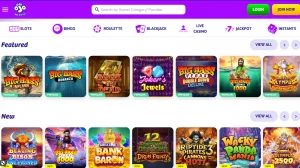
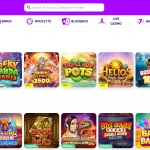
PlayOJO’s current mobile pages describe mobile access to slots, table games, live dealer games, Slingo and bingo, as well as account and banking functions. The site also says players can withdraw from a phone by opening the mobile Cashier and choosing an available method.
A precise mobile game count is intentionally omitted here. Different official PlayOJO pages currently publish different totals for the wider catalogue, so turning one of those numbers into a definitive mobile figure would create false precision. The safer and more useful conclusion is that the mobile route covers the same main game categories as the desktop experience. For the catalogue structure and provider discussion, use the separate PlayOJO games guide.
Individual games can still have device, provider or orientation differences. A live dealer table may feel better in landscape, while a simple slot may be comfortable in portrait. That is a usability issue rather than evidence of a separate mobile catalogue.
Banking from an iPhone or Android phone
The current mobile material says players can access payment functions from mobile, including the Cashier. Apple Pay is naturally relevant on compatible Apple devices, while other methods such as cards, PayPal and bank-based options depend on what the account Cashier shows.
The mobile route does not remove payment-method conditions. A method that requires prior deposit use for withdrawal still follows that rule on a phone. Likewise, verification can still be requested before a cash-out is approved. The device changes the interface, not the underlying account controls.
For current deposit and cash-out methods, refer to the PlayOJO payment methods guide rather than assuming every banking option mentioned in a mobile marketing page will appear in every account.
App or browser: which route is more practical?
Choose the app if
You regularly use the same phone, prefer a dedicated icon and want PlayOJO separated from normal browser tabs.
Choose the browser if
You want immediate access without installing anything, switch devices often or prefer to keep casino use inside the browser.
Use both if
You want the app on your main phone but still want the flexibility to log in through a browser on another supported device.
There is no need to treat the choice as permanent. Because the same account is used across devices, a player can move between routes when convenient. That makes browser play a useful fallback even for someone who normally uses an app.
What to check before installing the PlayOJO app
Use PlayOJO’s own mobile route or the platform’s official app store rather than an unofficial APK or third-party download site. This reduces the risk of installing software from an untrusted source.
Check that the app is available in the legal jurisdiction linked to the account and device store. PlayOJO’s own mobile material notes that app availability depends on jurisdiction. UK players should also keep the operating system and app updated so security fixes and interface changes are current.
Store ratings and review counts can change continuously, so they are poor fixed measures of the mobile experience. The more durable distinction is whether the player wants an installed app or browser access from the same account.
Switching devices without creating a second account
One of the most useful features of browser and app access is continuity. If you begin on desktop, then move to a phone later, the same account details are used. That means there is no reason to create a duplicate mobile account simply because the interface has changed. A duplicate account could also complicate account management, so the correct route is to sign in to the existing profile.
For regular players, this flexibility makes device choice less important than it first appears. You can keep the app on a main phone, use a browser on a tablet, and still return to desktop when a larger screen is more comfortable. The important practical checks are whether the device is supported, whether the official PlayOJO page loads correctly, and whether the Cashier and account controls you need are visible before starting a session.
When travelling or using a different device, jurisdiction and availability can still matter. A mobile app being installed does not override the rules attached to the account or location. Treat the app as an access method, not as a separate entitlement.
Mobile security and responsible-play controls
PlayOJO’s mobile pages describe authenticated login, encryption and responsible-play tools that can be accessed from mobile. Those features are useful, but the device owner still has a role. Use a screen lock, do not save credentials on a shared phone and log out if someone else can access the device.
Banking on mobile deserves the same care as desktop banking. Confirm that you are on the genuine PlayOJO service before entering payment details, and use the account’s own cashier rather than links from unsolicited messages. If a verification request appears, follow the official upload route inside the account.
Responsible-play settings should be treated as account controls rather than app-only features. Moving from app to browser does not create a separate play history or a second set of limits for the same account.
Choosing between the PlayOJO app and browser on a UK mobile
For most UK players, the choice comes down to installation preference. The iOS and Android apps make sense if PlayOJO is used regularly on one device and a dedicated app is convenient. Browser play is the lower-friction route if you want no download, switch devices or simply prefer Safari, Chrome or another supported browser.
The app and browser routes use the same PlayOJO account, so choosing one does not require opening a second account. Players can select the route that best fits the device while keeping the same login and account relationship.
Both routes lead back to the same account, games categories and cashier environment, so there is little value in treating one as a separate casino product. Start with whichever interface fits the device, then switch if your needs change. For a wider view of the brand beyond mobile, return to the PlayOJO UK review.
Both routes lead back to the same PlayOJO account, including the account area and cashier, so the choice is mainly about how the player prefers to access the service on the device.